
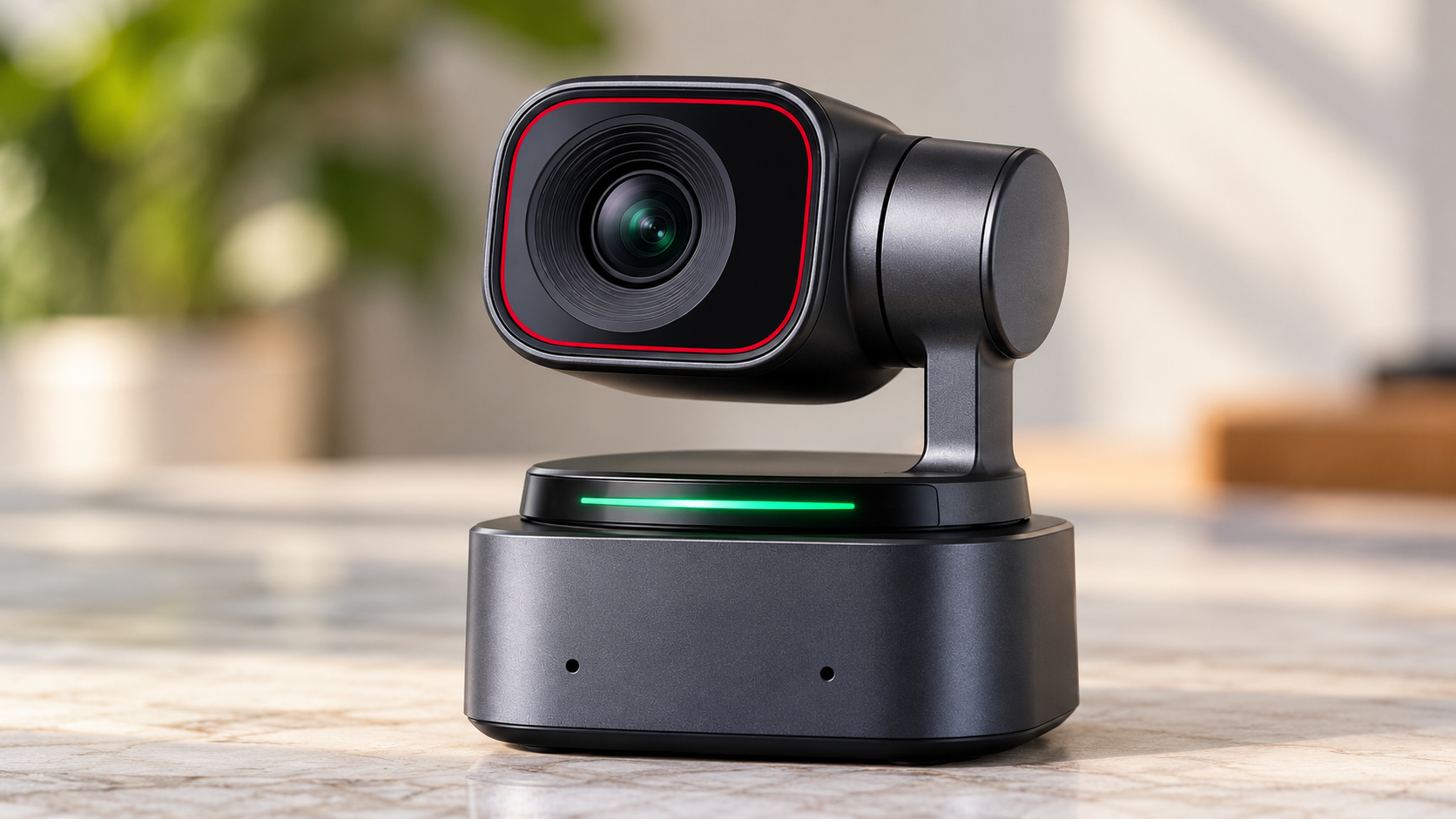
Discover how the OBSBOT Tiny 2 AI-powered 4K webcam elevates live streaming with auto-tracking, gesture controls, and 4K video. Perfect for content creators seeking professional results. Learn setup, features, and streaming tips.
Choosing a webcam can be difficult when you need sharp video, dependable autofocus, and the freedom to move during calls or presentations.
The OBSBOT Tiny 2 AI-Powered 4K Webcam addresses these needs with intelligent subject tracking, a motorized camera system, and high-resolution video recording.
Designed for professionals, content creators, educators, and streamers, this webcam combines a 1/1.5-inch CMOS sensor with AI-assisted controls.
However, its advanced features come at a premium compared with conventional webcams.
Before purchasing, it helps to understand how the camera performs, which features might improve your setup, and where its limitations could affect your experience.
OBSBOT Tiny 2 AI-Powered 4K Webcam: What Should You Know Before Buying?
The OBSBOT Tiny 2 is a premium USB webcam featuring a motorized pan-and-tilt system, automatic subject tracking, and 4K video support.
Unlike stationary webcams, it can physically reposition its lens to follow your movements.
This functionality may be especially helpful when presenting at a standing desk, teaching remotely, or demonstrating products on camera.
OBSBOT Tiny 2 Key Specifications
| Feature | Specification |
|---|---|
| Camera sensor | 1/1.5-inch CMOS |
| Maximum video resolution | 4K at 30 fps |
| Full HD recording | Up to 1080p at 60 fps |
| Camera movement | Motorized pan and tilt |
| Tracking | AI-powered subject tracking |
| Autofocus | All-pixel autofocus |
| HDR | Supported |
| Audio | Built-in dual microphones |
| Connectivity | USB-C |
| Camera controls | Gesture, voice, and desktop software |
| Privacy | Camera can tilt downward into a privacy position |
| Software | OBSBOT Center |
| Mounting | Magnetic mounting system |
The combination of 4K recording and motorized tracking makes the Tiny 2 worth evaluating if your existing webcam restricts movement or struggles with image clarity.
OBSBOT Tiny 2 Review: How Does It Perform in Everyday Use?
1. 4K Video Quality for Professional-Looking Content
The OBSBOT Tiny 2 records video at resolutions up to 3840 × 2160 pixels at 30 frames per second.
Its relatively large sensor helps capture detail and may produce cleaner images than smaller-sensor webcams under comparable conditions.
For video meetings, you may notice clearer facial details, clothing textures, and background objects when the application supports high-resolution video.
However, your actual image quality depends on several factors:
- Available lighting
- Video platform resolution limits
- Computer performance
- Internet connection stability
- Camera settings and compression
Although the webcam supports 4K, many conferencing platforms transmit video at lower resolutions. Therefore, purchasing a 4K camera does not guarantee 4K video during every meeting.
2. AI Tracking That Follows Your Movements
One of the camera’s main selling points is its intelligent tracking system.
As an AI tracking webcam, the Tiny 2 uses subject recognition and a motorized gimbal to keep you within the frame as you move.
For example, if you stand during a presentation or move across a small workspace, the camera can adjust its direction automatically.
This feature may be particularly helpful for:
- Online instructors teaching while standing
- Professionals delivering presentations
- Product reviewers demonstrating physical items
- Streamers who frequently change positions
- Remote workers using adjustable standing desks
Tracking performance can vary with movement speed, lighting, obstructions, and the distance between you and the camera.
For stationary video calls, the tracking system may be less valuable than it is for active presentations.
3. Autofocus and HDR for Changing Conditions
Autofocus is particularly important when you move closer to your webcam or hold objects in front of the lens.
The Tiny 2 features all-pixel autofocus, designed to adjust focus as your distance from the camera changes.
For instance, if you demonstrate a small product during a video call, autofocus may help maintain clarity when the object is brought closer.
The webcam also supports HDR imaging, which can help manage scenes containing bright and dark areas.
However, HDR cannot completely correct poor lighting. A dedicated desk light or softbox may still improve your video quality.
4. Gesture and Voice Controls
The OBSBOT Tiny 2 supports hands-free camera operation through gesture recognition and voice commands.
Supported controls include tracking-related functions and camera adjustments, depending on the command and active settings.
This may reduce the need to interrupt presentations to adjust camera positioning manually.
However, you should familiarize yourself with the supported commands before relying on them during important meetings or recordings.
5. OBSBOT Center Software
OBSBOT Center provides access to camera controls and additional settings.
Depending on the software version, available functions include:
- Tracking configuration
- Camera movement controls
- Image adjustments
- Preset positions
- Firmware updates
- Supported visual effects and framing options
The software can be especially helpful when customizing the webcam for different working environments.
Before purchasing, verify that your operating system meets the current software requirements.
Is the OBSBOT Tiny 2 a Good 4K Webcam for Streaming?
If you create content regularly, the Tiny 2 may be a practical option for recording talking-head videos, livestreams, and product demonstrations.
Its motorized tracking allows the camera to follow your movements without requiring someone to operate it manually.
Additionally, Full HD recording at up to 60 fps can be useful when smoother motion matters.
Where the Camera May Work Well
Gaming streams: You can use the camera as a facecam while maintaining automatic framing during movement.
Product demonstrations: Autofocus and tracking may help when showing objects or moving around your desk.
Educational livestreams: The motorized camera can follow you as you teach or present.
Recorded tutorials: Preset camera positions may help maintain consistent framing between recording sessions.
Keep in mind that your streaming software, available USB bandwidth, and computer hardware can influence the final output.
Is the OBSBOT Tiny 2 Suitable as a Webcam for Video Conferencing?
For frequent remote meetings, the OBSBOT Tiny 2 provides several features that may improve the way you appear on camera.
Its autofocus, image controls, and tracking functionality can help maintain framing throughout presentations.
However, the benefits depend on how you conduct your meetings.
If you remain seated for most calls, a conventional high-quality webcam may provide adequate results at a lower cost.
If you frequently stand, teach, demonstrate products, or change positions, the motorized tracking system may provide a meaningful advantage.
Video Conferencing Considerations
| Your activity | Potential benefit |
|---|---|
| Daily team meetings | Clear video and autofocus |
| Standing presentations | Automatic subject tracking |
| Online teaching | Motorized framing adjustments |
| Client consultations | Adjustable camera positioning |
| Product demonstrations | Autofocus and camera movement |
| Occasional personal calls | Premium features may be unnecessary |
Compatibility with your preferred conferencing application should be checked before purchase.
OBSBOT Tiny 2 vs Traditional Webcams: What Are the Differences?
The Tiny 2 belongs to the premium PTZ webcam category, meaning its lens assembly can pan and tilt to adjust framing.
Traditional webcams generally rely on fixed camera positions or digital cropping.
| Feature | OBSBOT Tiny 2 | Typical Standard Webcam |
|---|---|---|
| Maximum resolution | 4K | Often 1080p or 4K |
| Camera movement | Motorized pan and tilt | Usually fixed |
| Subject tracking | AI-assisted physical tracking | Often unavailable or digital |
| Autofocus | All-pixel autofocus | Fixed focus or autofocus |
| Gesture controls | Supported | Usually unavailable |
| Voice controls | Supported | Usually unavailable |
| Software adjustments | Extensive | Varies by model |
| Purchase cost | Premium category | Budget to premium |
| Ideal user | Active presenters and creators | Stationary users |
A standard webcam may still be the better purchase if you prioritize simplicity, lower cost, or a fixed camera angle.
OBSBOT Tiny 2 vs OBSBOT Tiny 2 Lite
If you are comparing webcams within the OBSBOT product lineup, the Tiny 2 Lite is another option worth reviewing.
Both models support motorized tracking and high-resolution video, although their hardware and available functions differ.
| Feature | OBSBOT Tiny 2 | OBSBOT Tiny 2 Lite |
|---|---|---|
| Maximum resolution | 4K at 30 fps | 4K at 30 fps |
| Sensor size | 1/1.5-inch | 1/2-inch |
| Motorized tracking | Yes | Yes |
| Autofocus | All-pixel autofocus | Phase-detection autofocus |
| HDR | Yes | Yes |
| Positioning | Premium model | Lower-cost alternative |
The Tiny 2 may be preferable if you value its larger sensor and higher-end camera hardware.
The Tiny 2 Lite may suit buyers who want automatic tracking without paying for every feature included in the premium model.
Actual image quality should be evaluated through comparable sample footage, preferably recorded under similar lighting conditions.
OBSBOT Tiny 2 Price: Is It Worth the Cost?
The OBSBOT Tiny 2 launched with a listed price of approximately $329 USD.
That figure is a historical reference rather than a verified current selling price. Retail prices can vary based on promotions, availability, regional taxes, and included accessories.
Before purchasing, check the official OBSBOT store and authorized retailers for current pricing and warranty coverage.
When the Price May Be Worth Paying
The Tiny 2 may justify its premium price if you regularly use automatic tracking, require adjustable framing, or record high-resolution content.
For example, an online instructor who frequently moves during lessons may benefit from the camera’s motorized positioning.
A content creator producing regular demonstrations may also find its tracking and autofocus helpful.
When You Might Save Money
If your webcam remains fixed during meetings, you may not need the motorized camera system.
A less expensive 1080p or 4K webcam could be sufficient, especially if your primary video conferencing application limits transmission resolution.
It is also worth checking your lighting setup before investing in a new camera. Improving room lighting can sometimes produce a noticeable image-quality improvement without replacing your existing webcam.
Advantages and Limitations of the OBSBOT Tiny 2
Advantages
- Supports 4K video recording at 30 fps
- Provides AI-assisted subject tracking
- Includes a motorized pan-and-tilt camera system
- Features all-pixel autofocus
- Supports HDR imaging
- Includes gesture and voice controls
- Provides adjustable settings through desktop software
- Supports Full HD recording at up to 60 fps
Limitations
- Higher price than many conventional webcams
- Tracking may be unnecessary for stationary users
- Conferencing applications may limit video resolution
- Camera movement and autofocus can be affected by difficult lighting conditions
- Advanced features may require initial configuration
- Built-in microphones may not replace a dedicated microphone for demanding recordings
These factors should be weighed against your intended use rather than judging the camera by its specifications alone.
What Should You Check Before Purchasing?
A webcam can look impressive on paper while still being unsuitable for your particular setup.
Before ordering the OBSBOT Tiny 2, review the following considerations.
Computer compatibility: Confirm that your operating system supports the camera and any required desktop software.
USB connectivity: Check your available ports and the manufacturer’s connection recommendations.
Mounting position: Make sure the camera can sit securely above your monitor or on an appropriate stand.
Lighting conditions: Evaluate the amount of light available in your recording area.
Recording requirements: Determine if you actually need 4K video or if 1080p is sufficient.
Audio quality: If you regularly record podcasts, interviews, or professional videos, a separate microphone may be worthwhile.
Warranty and returns: Review the retailer’s warranty, return conditions, and regional support.
These checks may help prevent compatibility problems and unnecessary spending.
Is the OBSBOT Tiny 2 better than a DSLR camera?
That depends on your requirements. A DSLR or mirrorless camera with suitable accessories may provide greater control over lenses and depth of field.
The OBSBOT Tiny 2, however, provides USB webcam convenience and automatic motorized tracking in a compact device.
Is the OBSBOT Tiny 2 a Smart Choice for Streaming and Video Calls?
The OBSBOT Tiny 2 AI-Powered 4K Webcam is worth evaluating if your work involves regular video presentations, livestreaming, online teaching, or content production.
Its strongest features are the motorized tracking system, high-resolution recording, autofocus, and flexible camera controls.
However, its premium price may be difficult to justify if you mainly participate in stationary video calls.
Before making a decision, compare current retail prices, review sample footage, and identify which features you are likely to use regularly.
For active presenters and creators, the Tiny 2 may be a practical investment. For casual users, a conventional webcam could provide sufficient video quality at a lower price.