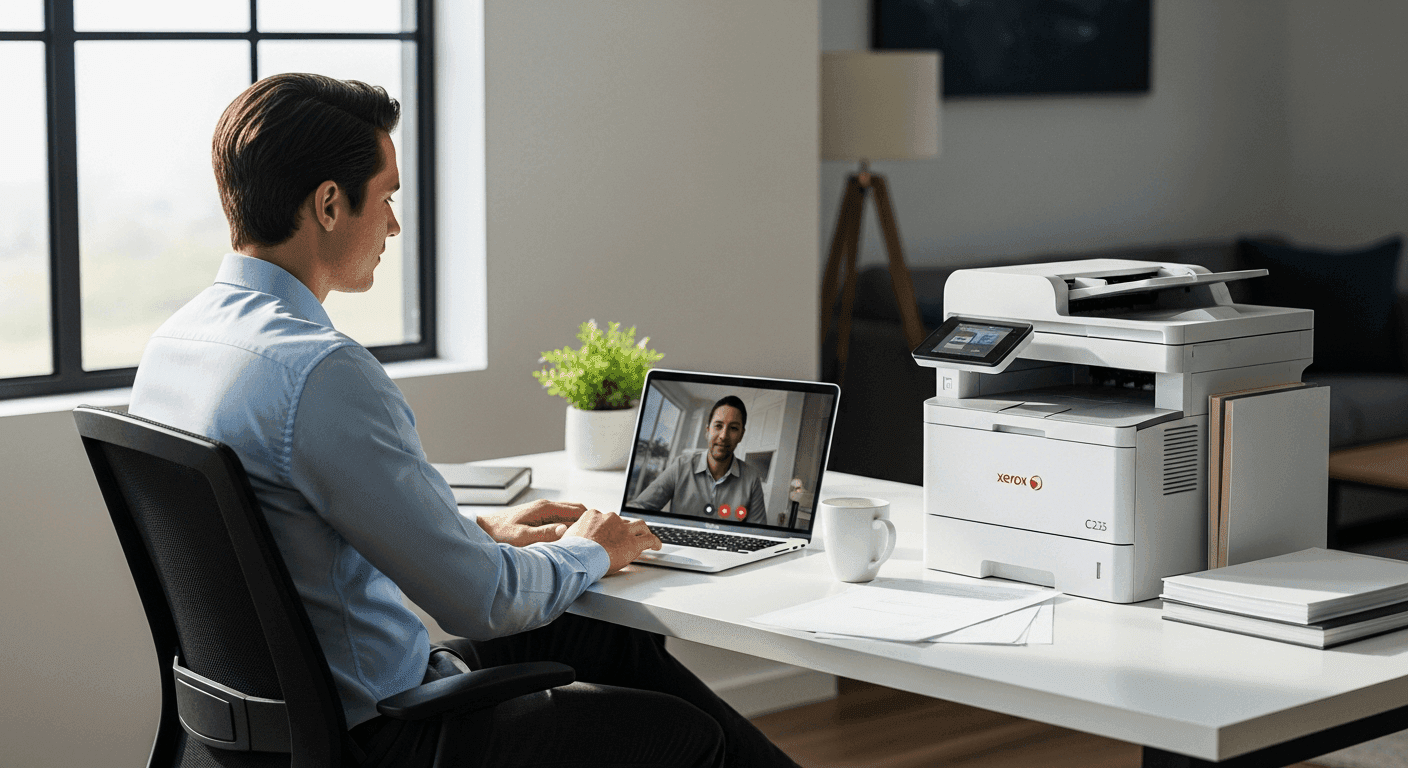
Remote work has changed how businesses collaborate, yet document handling still creates unnecessary delays for many distributed teams. Xerox C235 addresses this challenge by combining mobile printing, cloud connectivity, scanning, and dependable performance into one compact color multifunction printer.
Instead of relying on complicated setup procedures or device-specific printing methods, your team can work from smartphones, tablets, laptops, and desktops with fewer interruptions. From home offices to shared workspaces, the Xerox C235 supports flexible workflows while helping maintain professional document quality.
This guide explains its mobile printing features, connectivity options, scanning capabilities, performance, pricing, and practical benefits for hybrid workplaces.
Xerox C235: Mobile-First Printing for Remote Teams Features That Improve Everyday Work
Modern teams need a printer that fits into flexible work environments without creating extra technical hurdles. The Xerox C235 delivers practical features designed for businesses that depend on cloud collaboration, mobile devices, and shared document workflows.
Key highlights include:
- Color printing, copying, scanning, and faxing
- Print speeds up to 24 pages per minute (ppm) in both color and black and white
- Automatic two-sided printing
- 50-sheet Automatic Document Feeder (ADF)
- Dual-band Wi-Fi, Ethernet, and USB connectivity
- Mobile printing through Apple AirPrint, Mopria, and Xerox Print Service Plug-in
- Cloud printing support
- Optical Character Recognition (OCR) for searchable scanned documents
These features make daily document management more efficient across remote and hybrid teams.
Mobile Printing Keeps Your Team Connected
Employees frequently move between home offices, client locations, and shared workspaces. Printing from mobile devices should feel simple rather than becoming another IT task.
Print from Smartphones and Tablets
The Xerox C235 supports:
- Apple AirPrint
- Mopria Print Service
- Xerox Print Service Plug-in for Android
Users can print directly from supported mobile apps without installing traditional printer drivers.
Cloud Printing Support
Many organizations store files in cloud platforms instead of local computers.
The Xerox C235 allows printing from cloud storage services, helping users access shared business documents quickly while reducing unnecessary downloads or file transfers.
Works Across Different Devices
Businesses often use a combination of Windows PCs, Macs, Android phones, and iPhones.
Because the Xerox C235 supports multiple mobile printing standards, your team enjoys a consistent printing experience regardless of device choice.
Flexible Connectivity for Hybrid Offices
A printer should adapt to your existing office environment.
The Xerox C235 offers multiple connection options:
- Wi-Fi
- Ethernet
- USB
This flexibility makes deployment straightforward in:
- Home offices
- Small businesses
- Shared workspaces
- Branch offices
Dual-Band Wireless Support
Support for both 2.4GHz and 5GHz Wi-Fi networks helps maintain reliable connections while reducing wireless congestion in busy office environments.
Scanning Features Improve Document Workflows
Printing is only one part of managing business documents.
The Xerox C235 also includes scanning tools that simplify collaboration across distributed teams.
50-Sheet Automatic Document Feeder
Instead of feeding pages individually, the automatic document feeder scans multi-page documents continuously.
This saves time when processing:
- Contracts
- Reports
- Invoices
- Client paperwork
Scan to Email
Users can scan documents directly to email recipients, making it easier to distribute signed paperwork or project files without extra steps.
Scan to Network Folder
Shared network folders allow scanned files to reach team members immediately, supporting collaborative workflows while reducing duplicate file transfers.
OCR for Searchable Files
Optical Character Recognition converts scanned documents into searchable PDFs and editable text files, making archived information easier to locate later.
Print Performance for Daily Business Use
Reliable speed matters when multiple employees share one printer.
Fast Color Printing
The Xerox C235 produces up to 24 ppm for both color and monochrome documents, helping maintain productivity during busy workdays.
Automatic Duplex Printing
Two-sided printing reduces paper usage while producing professional-looking reports and presentations.
Monthly Duty Cycle
According to Xerox specifications, the printer supports a maximum monthly duty cycle of up to 30,000 pages, making it suitable for small and medium-sized businesses with moderate printing needs.
Xerox C235 Pricing
At the time of writing, the Xerox C235 Color Multifunction Printer has an official manufacturer suggested retail price of approximately $499 USD, although actual selling prices may vary by retailer, promotions, and region.
When budgeting, consider additional costs including:
- Toner cartridges
- Paper
- Maintenance supplies
- Optional extended warranty
Checking authorized Xerox retailers helps you find the latest pricing and promotions.
Advantages and Limitations
Advantages
- Easy mobile printing
- Supports AirPrint and Mopria
- Fast 24 ppm color printing
- Automatic duplex printing
- Built-in OCR capability
- Compact footprint for smaller offices
- Multiple network connection options
Limitations
- Best suited for small to medium workgroups
- Replacement toner contributes to ongoing operating costs
- Advanced enterprise workflow features are available on higher-end Xerox models
Who Should Consider the Xerox C235?
The Xerox C235 works well for:
- Remote teams
- Hybrid offices
- Small businesses
- Home offices with professional printing needs
- Customer service teams
- Sales professionals
- Consultants
- Administrative departments
Its feature set balances productivity, connectivity, and ease of use without requiring complex IT management.
Frequently Asked Questions
Does the Xerox C235 support mobile printing?
Yes. It supports Apple AirPrint, Mopria Print Service, and the Xerox Print Service Plug-in for Android devices.
Can the Xerox C235 print wirelessly?
Yes. It includes built-in Wi-Fi, Ethernet, and USB connectivity for flexible installation.
Is the Xerox C235 suitable for remote teams?
Yes. Its mobile printing, cloud compatibility, scanning features, and network connectivity make it well suited for remote and hybrid work environments.
Does the Xerox C235 include automatic duplex printing?
Yes. Automatic two-sided printing is included to help reduce paper consumption.
What is the print speed?
The Xerox C235 prints up to 24 pages per minute in both color and black and white.
Can scanned documents become searchable?
Yes. OCR functionality allows scanned documents to be converted into searchable digital files.
Conclusion
The Xerox C235 offers practical features that support modern remote and hybrid workplaces. Mobile printing, cloud compatibility, reliable scanning, automatic duplex printing, and flexible connectivity help simplify everyday document tasks while maintaining professional output quality.
If your business needs a compact multifunction printer for distributed teams, the Xerox C235 is worth considering. Review your monthly print volume, compare current retailer pricing, and choose the configuration that best matches your workflow.